
Virtual Assistant Portfolio No Experience: Proven Guide 2026

This updated 2026 guide will show you how to build a virtual assistant portfolio even if you have no experience.
Let’s be real: building a virtual assistant portfolio no experience can feel intimidating. Most beginner VAs worry about what to show clients if they’ve never had a paying gig yet. But here’s the truth — every top-rated VA started from zero. So yes, you can make your beginner VA guide and land your first client, kahit wala ka pang experience.
Table of Contents
Why Build a Virtual Assistant Portfolio with No Experience?
Clients don’t just hire you because you say “I’m a VA.” They want proof. Your virtual assistant portfolio with no experience shows that you’re serious and you’ve taken time to practice. Think of it as your handshake: it gives clients a peek into your work style and skills.
In the Philippines, many new VAs panic about this step. But the secret is simple — kahit wala ka pang real client, you can still showcase your ability. This beginner VA guide will show you how.

What to Include in Your Virtual Assistant Portfolio
Keep it clear, practical, and honest. Don’t overthink fancy designs — your goal is to show you can deliver. Here’s what your VA portfolio should include:
✅ Short intro – Who are you? What services do you offer? Who do you help? Keep it friendly but professional.
✅ Services offered – Be specific. Instead of just “admin tasks,” write “email management, calendar scheduling, data entry, research.” These keywords help you stand out.
✅ Tools you use – List the tools you’re familiar with: Canva, Trello, Slack, Google Drive. Clients like to see you’re resourceful.
✅ Sample work – Even if it’s unpaid, practice samples prove you can do the job. This is the heart of your virtual assistant portfolio no experience version.
✅ Testimonials – If you’ve done free work for a friend, ask them for a short feedback.
✅ Contact details – Make it easy for clients to reach you.
Create a Virtual Assistant Portfolio Without Clients
Here’s your beginner VA guide tip: practice work counts! Wag kang matakot gumawa ng mock-ups or samples. Hindi yan fake — they’re real examples you did yourself. Avoid the biggest freelancer red flags: never claim work you didn’t do.
Example #1: Gusto mo maging social media VA? Make a pretend brand. Let’s say “Anna’s Coffee House.” Design 5 posts in Canva, write short captions, and create a 1-week content calendar.
Example #2: Dreaming to be an admin VA? Create a sample Google Sheet for tracking daily tasks. Draft a simple professional email response or a meeting notes template.
Example #3: Know someone with a small biz? Offer free help managing their Facebook page or organizing their files for 1-2 weeks. Ask if you can use your output in your portfolio.
How to Present Your Virtual Assistant Portfolio
You don’t need a website yet. Here’s where many new VAs get stuck — they feel they need to spend thousands on a site. Nope! Start with free tools:
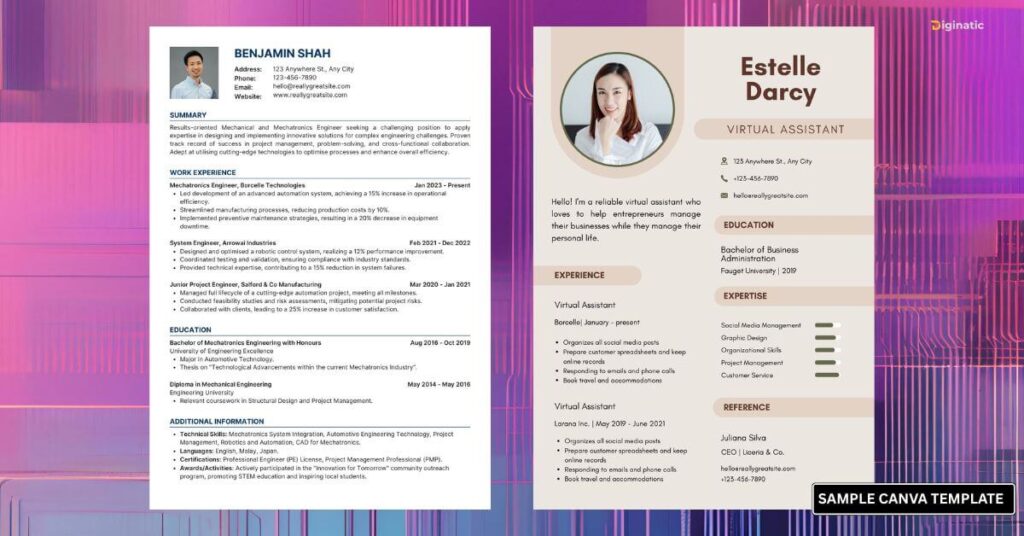
✅ Google Docs/Slides – Make a clean, clickable PDF with sections for each part.
✅ Canva – They have free portfolio templates. Keep it one page or two — simple is best.
✅ LinkedIn – Use the ‘Featured’ section to upload your portfolio. Clients check your profile there, so why not stand out?
Read more: How to Build a LinkedIn Profile Without Experience (2025 Guide + Proven Tips)
Create a Free VA Portfolio Website
If you want to take your presentation up a notch, you don’t need coding or a paid plan—just a simple, free website:
- Choose a free platform like Wix, Carrd, Canva Websites, or Google Sites
- Use a clean, single-page layout:
- Header: your photo, name, and quick intro
- Services: list your skills and tools (e.g. email management, Canva, Google Workspace)
- Samples: showcase 2–4 mockups with captions explaining your work
- Testimonials: short feedback, even from free or practice clients
- Contact: email, LinkedIn, WhatsApp link
- Customize with a Filipino touch: pick a friendly template
- Publish and share your site link instead of a PDF — this shows professionalism and ease of access.
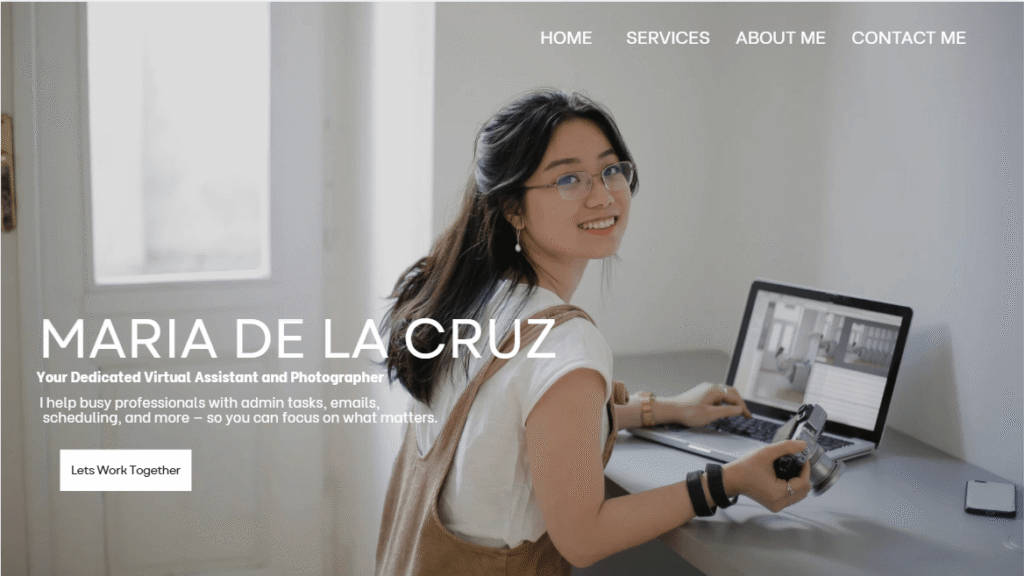
This approach is perfect for Filipino VAs who want credibility and simplicity—no coding, no spending, just your talent on display.
Add Extra Proof: Small Wins Matter
Want extra plus points in your VA portfolio? Small wins add up. Here’s what you can sprinkle in:
✔️ Certificates – A short Canva, Google, or HubSpot course? Screenshot it!
✔️ Before-and-after shots – Show how you improved a messy doc or made an ugly graphic look neat.
✔️ Mini case study – Did you help a friend grow their followers even by 20? That’s real data!
Beginner VA Guide: Dos & Don’ts
Keep these new VA tips in mind to avoid common freelancer red flags:
✅ DO:
- Show only your best samples.
- Add short explanations: what was the task, what tool did you use, and what was the result.
- Keep it typo-free. Spelling mistakes look sloppy.
- Update it as you grow — replace practice work with real paid work once you have it.
❌ DON’T:
- Don’t fake testimonials.
- Don’t copy someone else’s portfolio.
- Don’t claim skills you can’t deliver yet.
- Don’t make it too complicated — clean layout always wins.
You can read this another article: 7 Virtual Assistant Mistakes Beginners Make (and How to Avoid Them)
How to Share Your Virtual Assistant Portfolio
When applying on Upwork or OnlineJobs.ph, attach your portfolio version as a clickable link. Always write a short line in your cover letter: “You can check my portfolio here: [link].”
Tip: Rename your file clearly — “Anna_Santos_VA_Portfolio.pdf” looks professional.
Keep Practicing, Keep Learning
While you wait for that first paying gig, keep adding to your skills. Binge-watch YouTube tutorials about Canva, email management, or project tracking. Join Filipino VA groups on Facebook — so many are willing to share real stories, client horror stories, and new VA tips.
Never stop upskilling. The more you practice, the more solid your samples get. One day you’ll see your old portfolio and laugh at how far you’ve come.
Quick Summary
- You can build a virtual assistant portfolio without experience
- Practice work and samples are enough to start
- Use free tools like Canva or Google Docs for resume
- Keep your portfolio simple and clear
Can I get clients without experience as a virtual assistant?
Yes, you can get clients by showing practice work and sample projects in your portfolio.
What should a beginner VA portfolio include?
It should include your introduction, services, tools, sample work, and contact details.
Do I need a website for my VA portfolio?
No, you can start with Canva, Google Docs, or LinkedIn before creating a website.
Your First Step Starts Now
Your virtual assistant portfolio is your key to opening doors. Hindi kailangan perfect agad. What matters is you start. Trust me, one day you’ll land a client who’ll appreciate your effort — and that single job can lead to referrals, repeat projects, and a steady freelance income.
You might also like this other article: 10 Proven Ways a Tech Job Portfolio Will Boost Your Career
So tonight, open Canva, draft that Google Doc, gather your practice samples, and say: “Kaya ko ‘to.” Your next client is waiting. Prove you’re ready.