Instagram Quicksnap Is Now Instants: The Best Way to Share Disappearing Photos (2026)
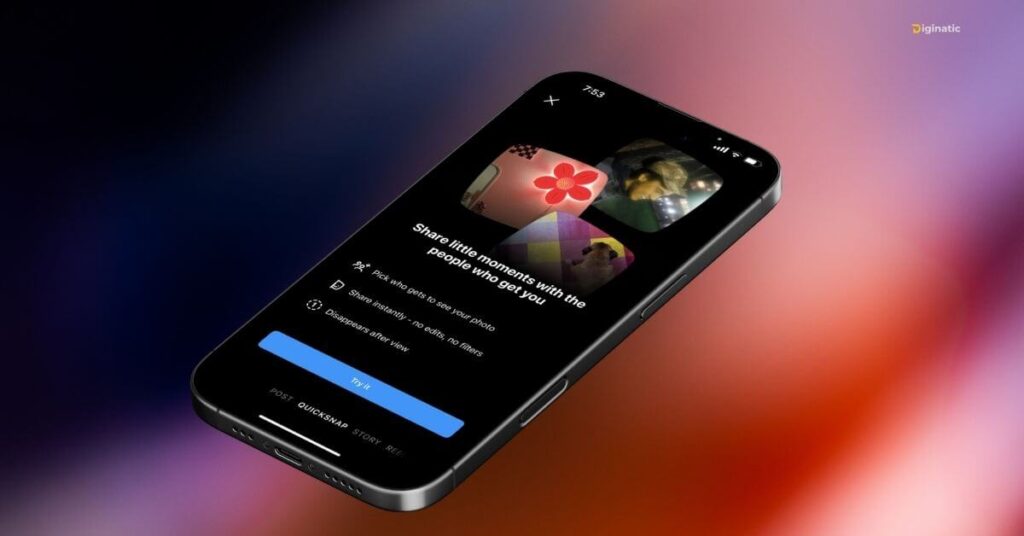
Remember Instagram Quicksnap? That beta feature where you could send a quick, raw photo straight from your DMs — no edits, no filters, gone after one view? Well, it’s officially back and better. Meta rebranded and globally launched it as Instants on May 13, 2026.
Instagram disappearing photos aren’t exactly new, but the way Instants handles it feels more refined than anything they’ve tested before. Kung dati kang curious sa Quicksnap pero hindi mo pa nasubukan, now’s the perfect time — it’s fully rolled out and available to everyone.
What Is Instagram Instants (Formerly Quicksnap)?
Think of Instants as the full, polished version of the Instagram Quicksnap feature we were all testing a few months back — same idea, but now it’s official. No more waiting to see if your account has it.
Instead of typing “look at this” or overthinking a Story post, you just send something fast and unpolished that vanishes after your friend opens it. Here’s how it works:
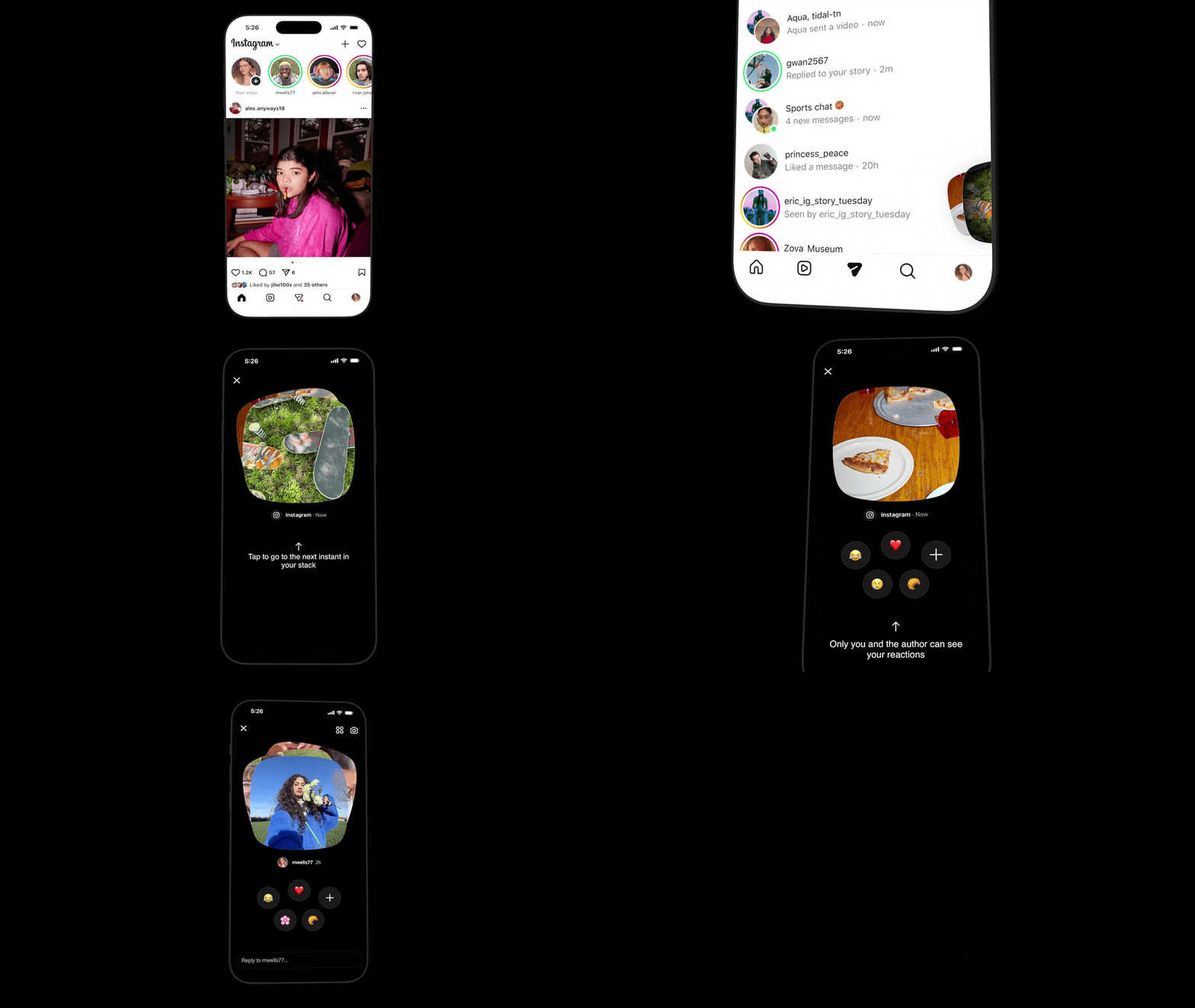
- You’ll find Instants inside your DMs, accessed via a mini photo stack icon in the bottom right corner of your inbox.
- You can send to your Close Friends or mutual followers — not the general public.
- The receiver gets a preview in chat and has to tap to open it.
- Once opened, it can only be viewed once — then it’s gone.
- If unopened, it expires after 24 hours.
- No filters, no edits, no camera roll uploads — real-time photos only.
- You can add a caption before sending.
- Recipients can react with emojis or reply, and even send an Instant back.
- Screenshots and screen recording are blocked for recipients.
And here’s a nice bonus: Instagram keeps your sent Instants in a private archive for up to one year — so you can look back, but they can’t.
What Happened to Instagram Quicksnap?
Quicksnap was just the beta test name. Meta tried out the concept under a few different names — including “Shots” and “Quicksnap” — in select countries before the official rollout. Now it’s called Instants, and it’s globally available inside Instagram as of May 2026.
On top of that, Meta is also testing Instants as a standalone app in select countries like Spain and Italy, completely separate from the main Instagram app.
Instagram Quicksnap vs Stories — What Changed with Instants?
A lot of people still mix these up, so here’s a simple side-by-side:
| Feature | Stories | Instants |
|---|---|---|
| Editing | Filters, text, GIFs, stickers | None (raw photo only) |
| Lifespan | 24 hours | One view, then disappears (or 24 hrs if unopened) |
| Audience | Followers or Close Friends | Close Friends or mutual followers only |
| Camera Roll | Yes | No — real-time only |
| Archive | On your profile | Private archive (1 year) |
| Screenshots | Visible to you | Blocked for recipients |
Bottom line: Stories are your highlight reel. Instants is that random, unfiltered shot you’d send to a close friend but would never post publicly.
How to Use Instagram Instants
It’s super simple once you know where to look:
- Update your Instagram app — Make sure you’re on the latest version. Instants has been rolling out globally since May 2026, so an outdated app might not have it yet.
- Open your DMs — Head to your inbox like you normally would. Instants lives here, not on your main feed.
- Tap the mini photo stack icon — Look for the small pile of photos in the bottom right corner of your inbox. That’s your entry point to Instants.
- Take a real-time photo — Point your camera and shoot. No edits, no filters, and you can’t upload from your gallery — has to be live.
- Add a caption (optional) — You can type something before hitting send, but that’s the only customization available.
- Choose your audience — Pick Close Friends or mutual followers. It won’t go beyond that circle.
- Done! — Once your friend opens it, the photo disappears. If they don’t open it within 24 hours, it expires on its own.
Quick tip: Made a mistake? You can unsend an Instant by tapping the undo button — but only before your recipient opens it. After that, it’s gone on their end, though it stays in your private archive.
Why Is Instagram Doing This?
For the past couple of years, Meta has been quietly pushing more private, low-key sharing options — Close Friends, Broadcast Channels, Notes. Instants is a natural extension of that direction.
It’s also Instagram’s clearest shot yet at competing with Snapchat, Locket, and BeReal. The difference? Instants strips everything away on purpose. No streaks, no camera filters, no elaborate sharing options — just a real moment, shared with people you actually know.
Should You Care About Instagram Instants?
Honestly, yes — especially if you’re tired of curating every single post. Instants is casual and disappearing by design. There’s no pressure, no trace left on their end, and no adding to an already cluttered feed.
At worst, your friend opens it, laughs, and it’s forgotten. At best, it becomes your go-to way of sharing the random little moments that never make it to your Stories.
That’s the whole point — it’s not about going viral. It’s about staying close.
Is Instagram Instants Worth Using?
Instagram Instants (formerly Quicksnap) is now officially live for everyone. It’s one of the more refreshing features Instagram has launched in a while — private, simple, and built for real connections rather than public performance.
Update your app, open your DMs, and look for that photo stack icon. Your next random moment is worth a snap.